Same tool, two completely different jobs. Drive it prompt by prompt and you are the bottleneck. Hand it a goal and let it loop, and the door opens.
§ TranscriptPanel by panel
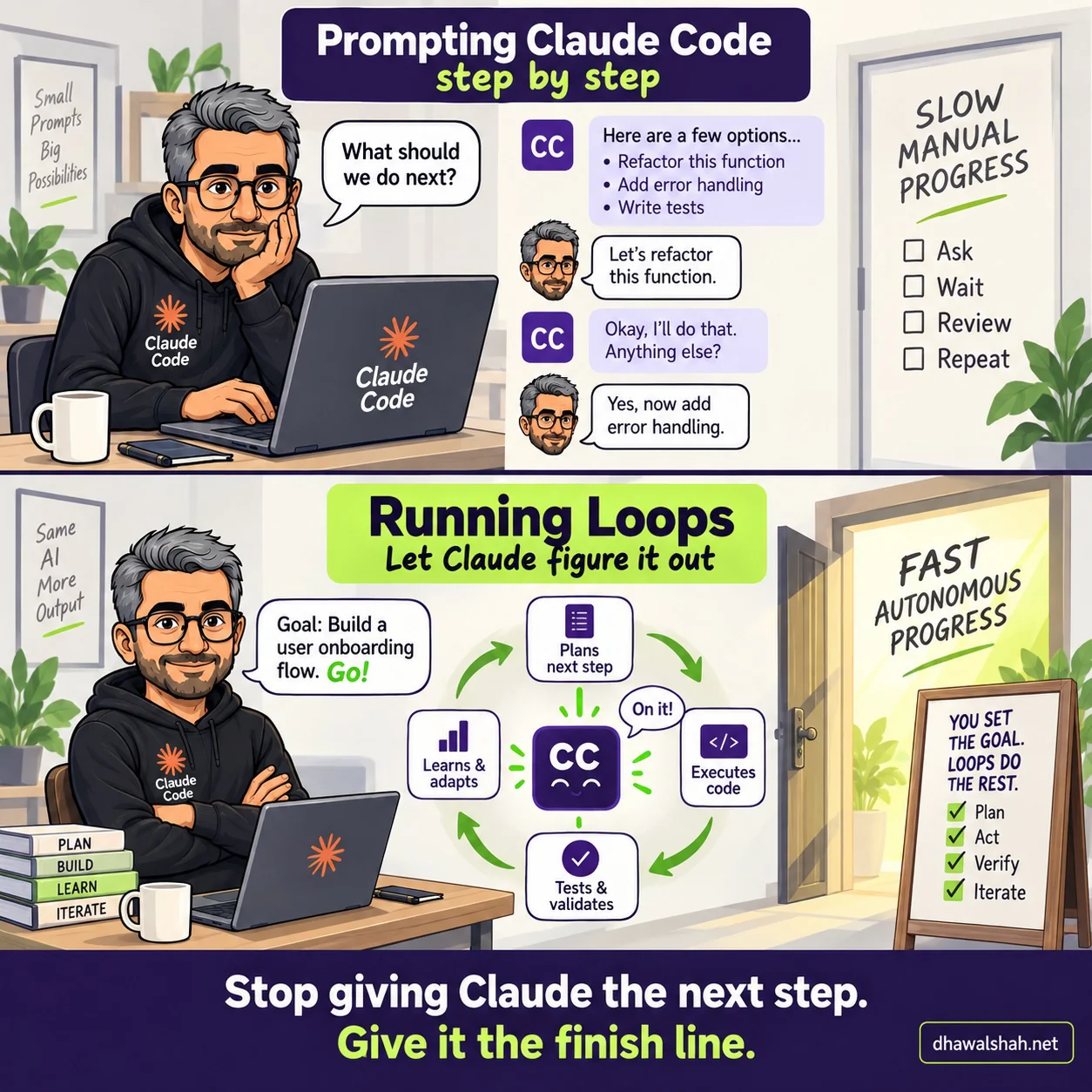
Panel 1 - "Prompting Claude Code, step by step." A bright modern office with pale walls, potted plants and a wooden desk. Dhawal sits at a grey laptop bearing the Claude Code mark, chin resting on his hand, in a black Claude Code hoodie, a white mug and a pen beside him. On the wall behind, a framed poster reads "Small Prompts Big Possibilities". A speech bubble reads "What should we do next?" A chat thread runs down the middle of the panel: Claude Code offers "Here are a few options... Refactor this function, Add error handling, Write tests"; he replies "Let's refactor this function"; Claude Code answers "Okay, I'll do that. Anything else?"; he replies "Yes, now add error handling." On the right, a plain door stands shut, the wall beside it hand-lettered "SLOW MANUAL PROGRESS" above four empty tick boxes: Ask, Wait, Review, Repeat.
Panel 2 - "Running Loops. Let Claude figure it out." The same office and the same man, now sitting back with his arms folded and a slight smile. The framed poster now reads "Same AI More Output", and a stack of four books on the desk is lettered PLAN, BUILD, LEARN, ITERATE. His speech bubble reads "Goal: Build a user onboarding flow. Go!" In the centre, a smiling Claude Code face says "On it!" and sits inside a green cycle of four stages turning clockwise: Plans next step, Executes code, Tests and validates, Learns and adapts, and round again. On the right, a wooden door stands wide open on warm, brightly lit space, the wall lettered "FAST AUTONOMOUS PROGRESS". An easel board in front of it reads "YOU SET THE GOAL. LOOPS DO THE REST." with green ticks against Plan, Act, Verify and Iterate.
Strapline across the foot of both panels. "Stop giving Claude the next step. Give it the finish line."
§ 01Behind the strip
The idea behind the cartoon
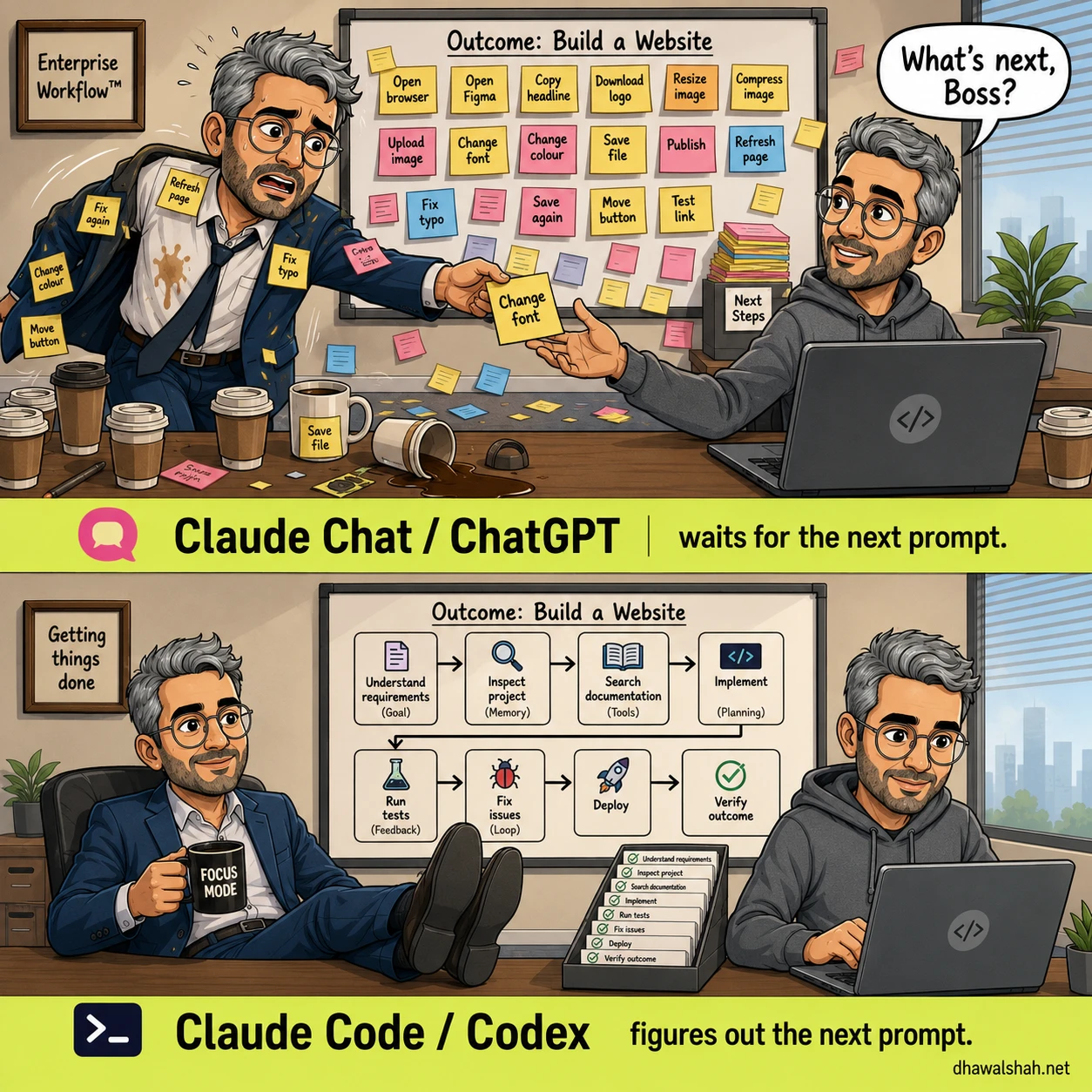
There is a version of this cartoon I have already drawn, about the gap between AI chat and agentic tools. This one is narrower and, I think, more useful, because both panels are the same tool. Nothing here is a comparison between products. It is a comparison between two ways of holding one of them.
Most people meet Claude Code in the top panel and never leave. You ask what to do next. It offers you a menu. You pick one, it does that one thing, then it stops and asks what else. Every cycle needs you present to unblock it, and the ceiling on how much gets done is however many times you are willing to be interrupted that afternoon.
That mode is not wrong. Reviewing each step is exactly what you want on anything you do not fully understand yet, or anything you would be embarrassed to have shipped unread.
The bottom panel is what happens when you stop supplying steps and supply the outcome instead. Give it the goal, and the same tool runs its own cycle: work out the context, plan the next move, write the code, test it, take the result of that test as new information, and go round again. The loop closes because the testing step feeds the next planning step. That is the whole trick.
What changes is where you sit. In the top panel you are inside the loop, and every cycle waits on you. In the bottom panel you are outside it, setting the goal and checking the work.
Which is a promotion, and also slightly unnerving, and both of those are the correct reaction.